

Your QR Code Still Works. Until the Subscription Lapses and 500 Brochures Go Dead Overnight.
Written By: Tom Ogg, Co-Founder and Co-Owner – Travel Professional NEWS

The pandemic turned the little black square into everyday infrastructure. Since then, scammers, subscription traps and artificial intelligence have rewritten the rules. Here is how travel advisors should be using QR codes now.
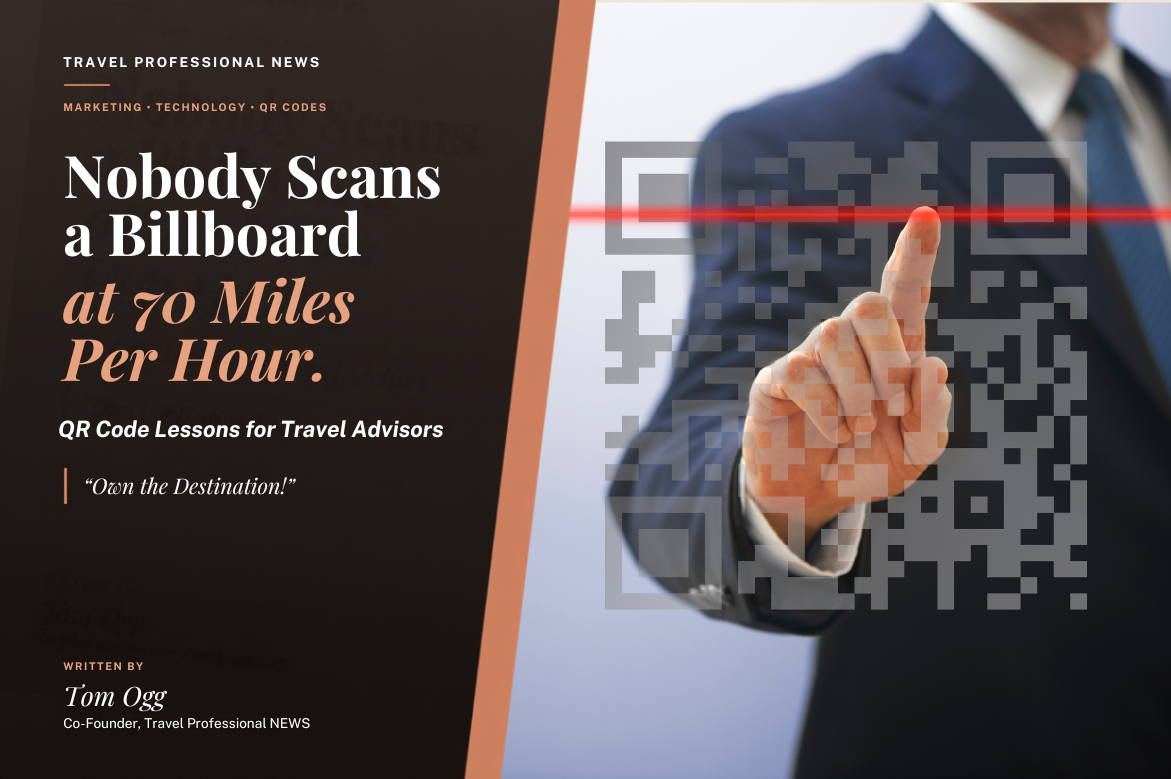
For most of its life, the QR code was the fanny pack of marketing. Everybody knew what it was, a handful of enthusiasts swore by it, and the rest of us quietly hoped it would go away. Marketers put codes on highway billboards (nothing says road safety like asking a driver to scan something at 70 miles per hour), on subway posters underground where phones had no signal, and on brochures that linked to a desktop homepage nobody could read on a phone. Consumers responded with a collective shrug.
Then a virus accomplished what a decade of marketing could not. When restaurants pulled their laminated menus during COVID, diners learned to point a phone at a table tent, and the habit stuck. Hotels moved room service menus and resort guides behind codes. Museums, airports, parking garages and cruise terminals followed. In roughly a year and a half, scanning went from “how do I do this?” to something your grandmother does without a second thought.
When I first wrote about QR codes for travel agents, that turnaround was the entire story: consumers had finally learned the behavior, so agents should take advantage of it. That part aged well. What I did not see coming was the second act. Once everybody was scanning, criminals noticed too, and a surprising number of small businesses discovered that the “free” code they printed on 5,000 postcards came with an expiration date buried in the fine print.
So the question for today’s travel advisor is no longer whether consumers will scan. They will. The question is whether they will trust your code, whether it will still work next year, and whether whatever sits on the other end is worth the trouble.
From Novelty to Habit to Suspicion
Here is the irony. The same convenience that made QR codes useful made them dangerous. A QR code is simply a web address that humans cannot read, and millions of people have learned to follow them without looking.
The Federal Trade Commission has been sounding the alarm for a while. In September 2026 the agency warned that scammers have covered legitimate parking meter QR codes with fraudulent ones that send drivers to websites built to steal money or personal information. Before that, the FTC flagged unexpected packages arriving with a code attached, noting that scanning it could lead to a phishing site that steals credit card numbers or login credentials, or could even load malware onto the phone. Its practical advice is simple: many QR readers show the web address before opening the page, so check that preview for misspellings, swapped letters or anything that does not match the legitimate service.
Why should a travel advisor care? Two reasons.
First, your clients travel. They will scan codes in airport lounges, hotel lobbies, rental car lots and foreign parking garages, usually tired, jet lagged and in a hurry, which is exactly the state scammers count on. An advisor who adds a short “scan smart” paragraph to every set of final documents is providing real protection that no booking engine bothers to offer.
Second, your own codes are now judged in that climate. A code that opens a strange redirect domain, asks for personal information right away, or leads to a slow, clumsy page looks a lot like a scam. The burden of proof has shifted to the business doing the printing.
The Five Minute Refresher
QR stands for Quick Response. Developed in the mid 1990s, QR codes store data in two dimensions rather than one, so they hold far more information than a traditional barcode, including links to online resources. Every current iPhone and Android phone reads them straight from the camera, no special app required.
For a travel business, the useful code types have not changed much: a website link, a contact card (vCard), a phone number, a prefilled text or email, a calendar event, a map location, a WiFi login, a WhatsApp chat and a payment link. A few details have changed. Twitter is now X. Instagram retired its old Nametag format in favor of standard profile QR codes, and most social platforms now generate a profile code inside their own apps, so you rarely need a third party tool for social media at all.
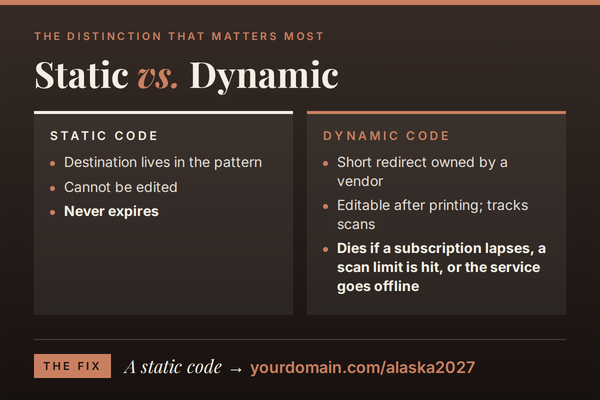
The distinction that matters most is still static versus dynamic
A static code contains its destination directly in the pattern. It cannot be edited, but it never expires. As long as the page it points to exists, the code works.
A dynamic code contains only a short redirect address owned by the company that generated it. That company’s server forwards each scan to wherever you choose, which means you can change the destination after printing and track scans by time, location and device. It is a genuinely useful feature, and it comes with a leash.
The Dead Code Problem Nobody Warned You About
Because a dynamic code depends on somebody else’s server, it lives and dies by your account status. Dynamic codes can stop working when a subscription lapses, a monthly scan limit is reached, or the platform’s redirect service goes offline, and a single missed renewal can deactivate every code on an account at once, including those already printed and distributed. Reviews of these services tell the story in painful detail. One reviewer described printing a charity gala program, then discovering the code led to an error page because a 14 day trial had quietly ended, with reactivation costing $120 since no monthly plan was offered.
Now picture that happening to your 2027 river cruise group brochure, printed 18 months before sailing and sitting on a hundred refrigerators. That is not a marketing hiccup. That is a credibility problem.
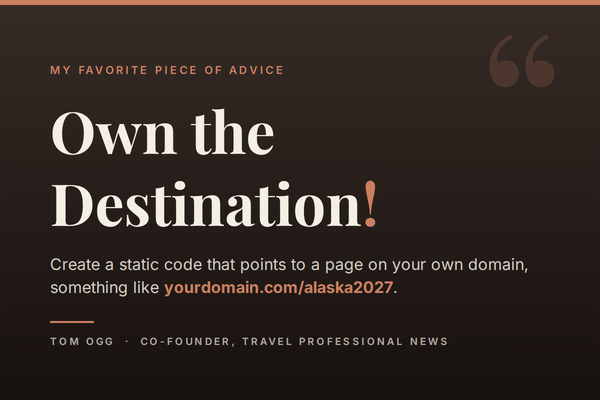
The fix is embarrassingly simple, and it is my favorite piece of advice in this entire article: “Own the Destination!” Create a static code that points to a page on your own domain, something like yourdomain.com/alaska2027. When plans change, you change that page or set a redirect in your own website settings. You get most of the flexibility of a dynamic code without renting it from anyone. Add UTM tracking tags to the address and Google Analytics will tell you how many people scanned it and where they came from.
If you do pay for a dynamic platform, read the cancellation policy before you print a single piece. The question to ask is blunt: what happens to my codes if I stop paying?
The tool landscape has shifted too. Beaconstac, one of the better known platforms, changed its name to Uniqode in early 2024 as part of a strategic rebrand. Pricing tiers across the category have moved around enough that any figure I quote today may be wrong by next quarter, so verify current terms directly. For static codes, Canva and Adobe Express include generators, and Adobe InDesign has long offered a built in option for designers who want the code to match the rest of the piece.
Where QR Codes Earn Their Keep in a Travel Practice
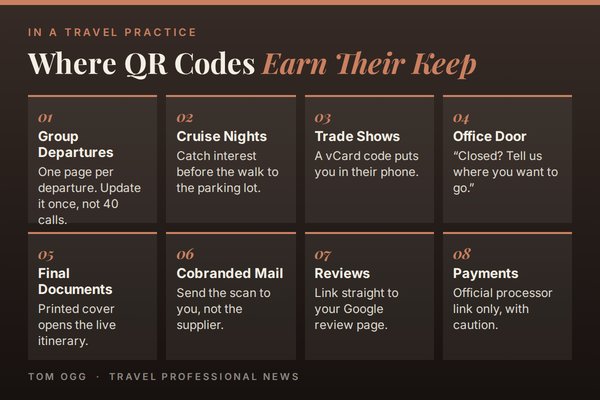
Group Departures: This was a good idea years ago and it is a better one now. Give every departure its own code leading to its own page: documents, packing list, final payment date, pre-trip meeting recording and a FAQ. When the ship changes its embarkation time, you update one page instead of calling 40-people. Your group leader will think you are a wizard.
Consumer Events and Cruise Nights: Put a registration code on the invitation, a calendar code on the confirmation, and a “book your consultation” code on the table as guests leave, linked straight to your scheduling tool. The most expensive moment in any consumer event is the walk to the parking lot, when enthusiasm evaporates. A code catches that interest before it cools.
Trade Shows and Networking: The vCard code remains the fastest way to get into someone’s phone without anyone typing. Digital business card services have grown up around this idea, but a plain vCard code on the back of a traditional card still does the job.
Your Storefront or Office Door: A window code that says “Closed? Tell us where you want to go” turns an empty sidewalk at 8 p.m. into a lead.
Printed Final Documents: If you use itinerary software such as Travefy or Axus, put a code on the printed cover that opens the live, mobile version. Clients get the comfort of paper and the accuracy of a document that updates.
Cobranded Direct Mail: When you send supplier postcards or catalogs with your name on them, make sure the code sends the scan to you, not to the supplier’s consumer booking page. You paid for that postcard, even if the supplier paid the printer.
Reviews and Referrals: A code on a welcome home card that links to your Google review page removes every excuse a happy client has for not writing one.
Payments, with Caution: Payment codes work, but given the scam climate, use only the official payment link from your processor or host agency, tell clients in advance exactly what they will see, and offer a clickable link as an alternative. Nobody should ever have to wonder whether your payment code is real.
Where Artificial Intelligence Changes the Equation
A QR code is only a doorway. AI has made it far easier for a one person agency to build a room worth walking into.
Content that is Actually Ready for a Phone: AI writing assistants can draft a group departure page, a FAQ, or a mobile friendly version of a long brochure in minutes, and can translate it for a multilingual group. Read every word before it goes live. AI is a fast first draft writer, not a fact checker, and it will cheerfully invent a baggage allowance if you let it.
Answers at 11 p.m: A code can lead to a chatbot trained on your group’s FAQ, or to WhatsApp Business with automated replies, so a traveler asking what time the transfer leaves gets an answer without waking you up. Draw a firm line: bots answer logistics questions and hand off to a human for anything involving money, changes or complaints.
Smarter Tracking and Follow Up: Use a different code for each event, mailer and window display, and tag leads in your CRM by source. Many CRM platforms now include AI features that suggest when and how to follow up. You can also export scan data and ask an AI assistant to spot patterns, such as which placements produce consultations rather than just curiosity.
Designer Codes: AI image tools can generate artistic QR codes in which the pattern blends into a picture of a beach or a ship. They are eye catching, and some of them are no scannable in dim light or on older phones. Test on several devices before you commit.
Consumer AI and the Fight for the Traveler’s Attention: This is the bigger picture. More travelers now do early research inside AI assistants like ChatGPT and Gemini instead of browsing websites, which means many never land on your site during the dreaming phase. In my view, that makes the physical world more valuable to advisors, not less. The event, the thank you card, the group meeting and the office window are moments you still own, and a QR code is how you pull that moment into a relationship instead of leaving it to an algorithm.
Security, on Both Sides: Criminals have used QR codes inside phishing emails because an image is harder for link scanners to inspect, and email security tools increasingly flag them. The lesson for your marketing is easy: never put a QR code in an email. Your reader is already holding a device that can click a link.
Earning the Scan
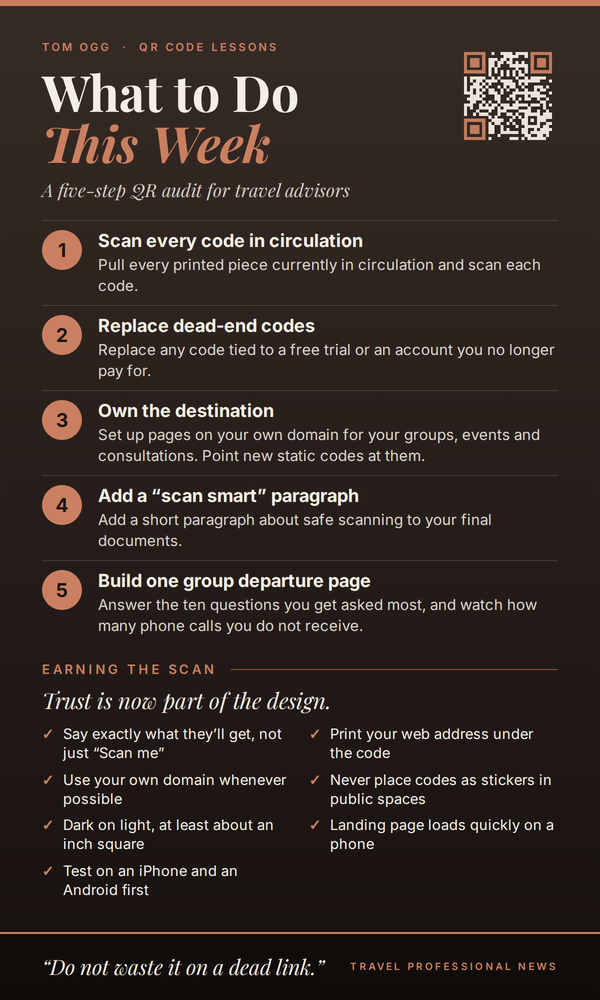
Trust is now part of the design. Tell people exactly what they will get (“Scan for your Alaska 2027 departure guide,” not just “Scan me”). Print your web address in plain text under the code so people can see where it goes. Use your own domain whenever possible. Never place codes as stickers in public spaces, where they look exactly like the tampered codes the FTC warns about. Keep codes dark on a light background, at least about an inch square on handheld print and much larger on signage, and make sure the landing page loads quickly on a phone. Then scan it yourself on both an iPhone and an Android before anything goes to the printer.
What Comes Next
Scanning is about to become even more ordinary. GS1, the standards body behind the original barcode, is promoting its Sunrise 2027 initiative to move retail from traditional line barcodes to QR style codes. When shoppers scan codes on cereal boxes as casually as they read the label, nobody will be impressed that your flyer has one. The code stopped being the novelty years ago. What matters now is whether it is trustworthy, whether it works, and whether the page behind it helps someone take the next step toward booking travel with you.
What to Do This Week
Pull every printed piece currently in circulation and scan each code. Replace any code tied to a free trial or an account you no longer pay for. Set up a handful of pages on your own domain for your groups, events and consultations, and point new static codes at them. Add a short paragraph about safe scanning to your final documents. Then build one group departure page that answers the ten questions you get asked most, and watch how many phone calls you do not receive.
The QR code spent a decade trying to get consumers’ attention. It finally has it. Do not waste it on a dead link.